


Quiz AI: AI Homework Helper
4.5445.00 Reviews
App Specs
- Version
- 4.27.7.20260731
- Updated On
- License
- Free
- Downloads
- 1,000,000+
- Developer
- INTSIG PTE
- Categories
- Education
- Platform
- Android, iOS
Screenshots
 Analysis by AppCompare
When I first opened Quiz AI: AI Homework Helper, I wanted to find out whether it could turn a moment of being stuck into a useful next step, rather than simply hand me a result to copy. It is an education app from INTSIG PTE, and its main appeal is the quick route from a question to help with it. I would treat it as a study companion: handy when I need a nudge or a worked explanation, but not a replacement for checking the reasoning and learning the material myself.
That distinction matters from the outset. AI answers can sound confident even when a question is unclear or an image is hard to read, so I get the most value when I use the app to investigate a problem, then compare its explanation with my notes or textbook. If you go in expecting a prompt for learning rather than an unquestionable authority, it is easier to use the tool well.
What a first-time user should expect
The basic idea is approachable: bring a homework question to the app, either by typing it or using a picture, and use the response to move forward. That makes it especially appealing for students who need help getting started after school, or for anyone reviewing a topic without a teacher beside them. The app is free to download, though it offers in-app purchases, so I would check the purchase options before relying on paid features as part of a regular study routine.
Quiz AI has an average rating of 4.5 from around 9,100 ratings, with more than a million installs. Those figures suggest that it has found an audience, but they do not tell me whether a particular answer will fit my class, assignment, or teacher’s preferred method. I still judge it by whether I can follow the explanation and verify the result.
Getting Started with Quiz AI
First things first, downloading and setting up the Quiz AI: AI Homework Helper was a breeze. Available on both Android and iOS, it’s simple to find on your app store and doesn’t take up much space, which is a win! Once you fire it up, you’re greeted with a sleek, user-friendly interface that doesn’t overwhelm you with options. It’s all about getting straight to business.
What struck me immediately was how intuitive the setup was. The app guides you through the basics with a short tutorial, so even if you’re not tech-savvy, you’re covered. You just need to input your subject or topic, and voilà, the magic begins.
Make the first question easy to check
For a first successful try, I would choose a problem whose answer I can verify, rather than starting with a long, unfamiliar assignment. With a typed question, include the full wording and any relevant values; with a photo, make sure the actual question and its diagrams are clear. If the first response misses a condition, rephrase the question or provide the missing detail instead of assuming the app has understood the worksheet exactly as intended.
Worth Reading Before You Choose

EA SPORTS FC Mobile 26 Is a Bigger Football Game, but It Takes Time

Flipboard Shows What News Apps Must Do Beyond the Feed

Switching to Android Auto Means Rethinking Your Driving Routine

Google Calendar Makes a Crowded Week Easier to Manage

Ludo King Makes the Most of the Minutes Between Plans

Baby Panda World Brings Quick Play to Modern Phones, but Its Game Library Feels Busy
A useful habit is to pause at each step and ask what rule or operation is being used. That turns a quick answer into a small lesson and makes it easier to spot a mistake. For math, check whether the final value satisfies the original question. For a factual subject, compare key claims with class material before using them in written work.
Features That Stand Out
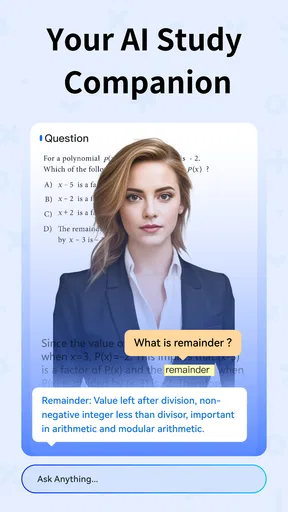
Now, let’s dive into what makes Quiz AI shine. The app is powered by artificial intelligence, which means it’s constantly learning and evolving to give you the best assistance possible. It’s like having your own AI genius buddy who’s got all the answers.
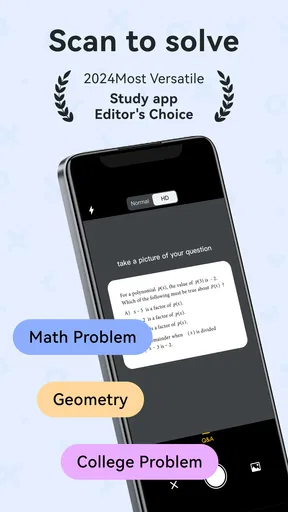
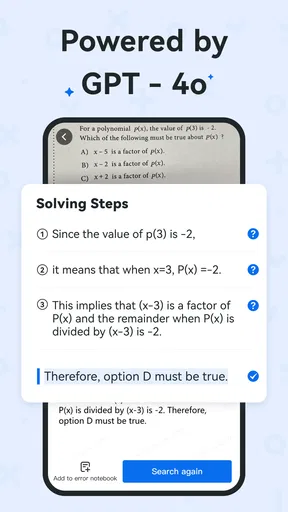
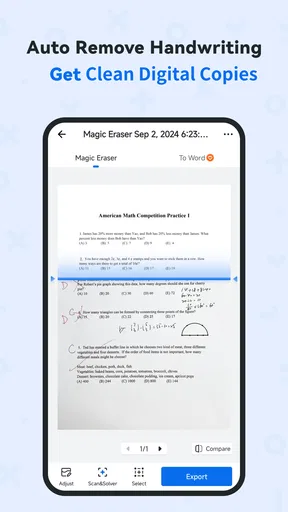
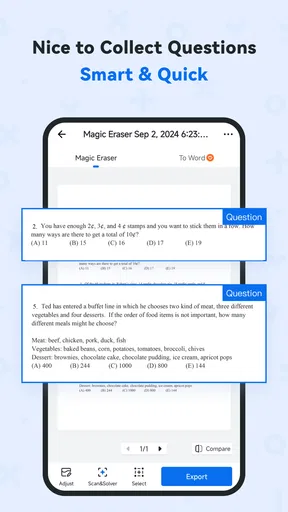
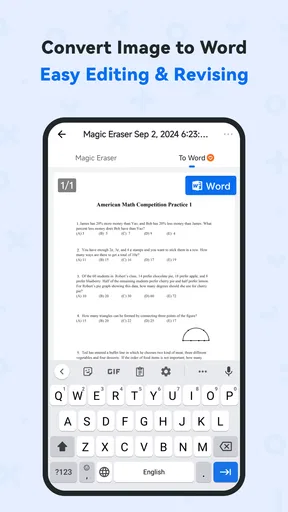
The key feature here is its homework-solving capabilities. You can either type in your questions or snap a picture of your homework, and the app analyzes it in seconds. It’s not just about giving you answers; it breaks down the solution step by step, which is crucial for understanding those tricky math problems or complex science theories.
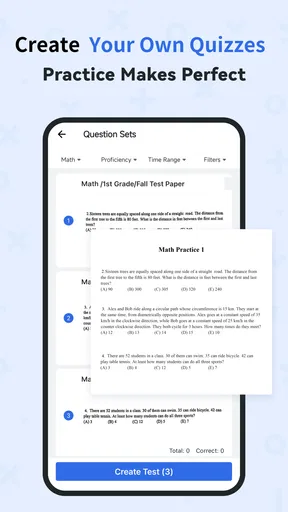
Another cool feature is the Quiz Mode, which is super helpful when you’re prepping for exams. The app generates quizzes based on the topics you’ve been working on, so you can test your knowledge and see where you stand. Plus, it tracks your progress, giving you insights into your strengths and areas that need a little more elbow grease.
Use the tools as a study loop
I find the strongest workflow is to solve one example with help, close the answer, and then try a similar question without looking. Quiz Mode can then serve as a check on whether the idea stuck, rather than becoming another stream of questions to tap through. If a quiz exposes a weak area, return to that specific concept and work through it before moving on. This makes the app more useful for revision than simply taking a quiz and treating a score as proof of mastery.
For a realistic after-school scenario, imagine a student with a worksheet question they cannot get past and a test coming up the next day. They can photograph the question to get unstuck, read the steps, and write down the rule that caused the confusion. Later, they can use the quiz feature to check recall. A parent helping at the kitchen table could use the explanation as a starting point for a conversation, while still asking the student to explain the method in their own words.
Why It’s a Game Changer
What I love about Quiz AI: AI Homework Helper is how it takes the stress out of studying. Remember those nights when you’re stuck on a problem with no idea how to solve it? This app is your knight in shining armor. Just think of the time saved and the frustration avoided!
For those worried about the accuracy of AI, I did a little test run with some tricky algebra problems and historical dates. The results? Spot on! The app sources information from reliable educational databases, ensuring you’re getting accurate and up-to-date info.
Where it fits—and where it doesn’t
Compared with a search engine, Quiz AI offers a more direct path from a question to an explanation; a search often leaves you to choose among pages and decide which one matches your exact exercise. Compared with a calculator, it can be more helpful when the obstacle is understanding the process, not just computing a result. Those alternatives still have an edge when you need a dependable calculation or a source you can cite, so I would keep them in the study toolkit rather than expect one app to do every job.
The trade-off is that an AI explanation is only as useful as its reading of the prompt. A cropped photo, a faint symbol, or a question with a diagram can lead to a response that addresses the wrong detail. I would retake or type out the problem when the image is ambiguous, and I would be especially careful with multi-part questions: solve and check one part at a time instead of trusting a single broad response to cover every requirement.
This is a better fit for a learner who wants a fast explanation, a way to practise, or a low-pressure starting point when stuck. It is less suitable if you need a formal textbook reference, a teacher’s feedback on your working, or guaranteed alignment with a particular syllabus. It also should not do the thinking for you on graded work. Use it to understand the method, then produce your own answer and follow your class’s rules for outside assistance.
Personal Touch and User Experience
One of the standout aspects of Quiz AI is its personalization. The app adapts to your learning style over time, suggesting new topics based on what you’ve previously worked on. It feels like the app actually gets you, which is pretty impressive.
The design is minimalistic yet effective, keeping distractions at bay. The color scheme is easy on the eyes, which is great when you’re up late cramming for a test. The overall user experience is smooth, with no annoying ads popping up every few seconds.
Small habits that make answers more useful
I would keep a short list of questions the app gets wrong or explains poorly, especially if the same kind of confusion appears more than once. That list gives you something concrete to ask a teacher or classmate about, instead of repeating the same prompt and hoping for a clearer answer. It also helps separate a one-off unclear response from a genuine gap in understanding.
Another practical tip is to avoid entering an entire page when only one question is causing trouble. A single focused prompt is easier to inspect and easier to compare with your notes. If the answer seems to skip a step, ask for clarification in terms of the part you do not understand, then independently work through the next example. The point is not to chase the most polished explanation; it is to find one you can reproduce yourself.
Quiz AI is rated for Everyone, and its current version is 4.22.0.20260205, with Android support from version 10. That makes it approachable for a broad range of learners, although younger users should still have an adult involved in managing study habits and any purchases. The app has 320 written reviews, and its in-app purchase range runs from $0.99 to $299.99 per item, so the free starting point is useful, but it is sensible to review any purchase screen carefully before confirming anything.
Wrapping It Up
So, would I recommend Quiz AI: AI Homework Helper? Absolutely! Whether you’re a student struggling with math, a parent trying to help your kid with homework, or just someone who loves learning, this app is a fantastic tool to have on hand.
With its powerful AI, user-friendly design, and comprehensive features, it’s a top-notch educational app that makes learning not just bearable but actually enjoyable. So go on, give it a whirl, and watch your homework woes disappear!
My recommendation comes with one condition: treat each response as something to learn from and check, not a finished piece of work to submit untouched. INTSIG PTE’s education app is free to try, and the first useful test can be as simple as bringing it one clear question you already partly understand. If the steps help you solve a similar problem on your own, it has earned a place in your routine; if you need precise curriculum guidance or expert feedback, your teacher, textbook, or a trusted subject-specific resource is the better next stop.
Pros
- Intuitive user interface for easy navigation.
- Quick and accurate homework solutions.
- Wide range of subjects covered.
- Offers personalized learning recommendations.
- Works offline for uninterrupted access.
Cons
- Limited free features without subscription.
- Occasional ads may disrupt user experience.
- Some advanced topics lack depth.
- Requires internet for full functionality.
- Can drain battery with prolonged use.
FAQs for Quiz AI: AI Homework Helper
What is Quiz AI: AI Homework Helper?
Quiz AI: AI Homework Helper is an educational app designed to assist students with their homework and study sessions. It leverages artificial intelligence to provide detailed explanations, generate quizzes, and offer personalized study recommendations, making learning more interactive and effective.
How does Quiz AI ensure accurate homework assistance?
Quiz AI uses advanced AI algorithms to analyze educational content and provide accurate assistance. It cross-references information from multiple reliable sources and adapts to user feedback to improve its accuracy over time. This ensures that students receive trustworthy and helpful support.
Is Quiz AI suitable for all age groups?
Yes, Quiz AI is designed to cater to a wide range of educational levels, from elementary school students to college learners. The app can be customized according to the user's grade level, ensuring that the content and assistance provided are appropriate and beneficial for their specific needs.
Does Quiz AI support multiple subjects?
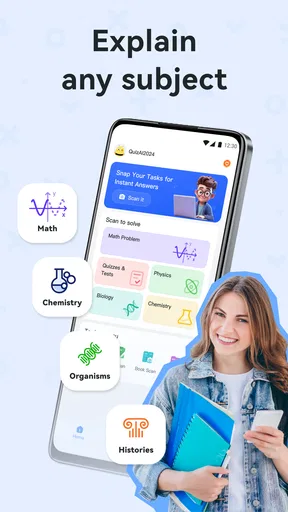
Absolutely. Quiz AI covers a variety of subjects, including mathematics, science, history, and language arts. This wide range of topics allows students to get help across different areas of study, making it a versatile tool for comprehensive educational support.
Is Quiz AI available offline?
Currently, Quiz AI requires an internet connection to function optimally. This allows the app to access the latest information and updates. However, developers are exploring options to provide offline capabilities in future releases, ensuring continued access to assistance without connectivity.


